What is Vibe Coding?
Vibe Coding, popular in the AI community in 2026, is a method where you simply express your ideas, and AI writes the complete code for you. It was proposed by OpenAI co-founder Andrej Karpathy in 2025 and has since become a practical tool for everyday users.
In simple terms: Traditional coding involves writing code line by line, while Vibe Coding allows you to state your requirements, and AI handles the coding.
I personally tested this for nearly a month, and I was able to create usable tools without needing to remember syntax or set up environments.
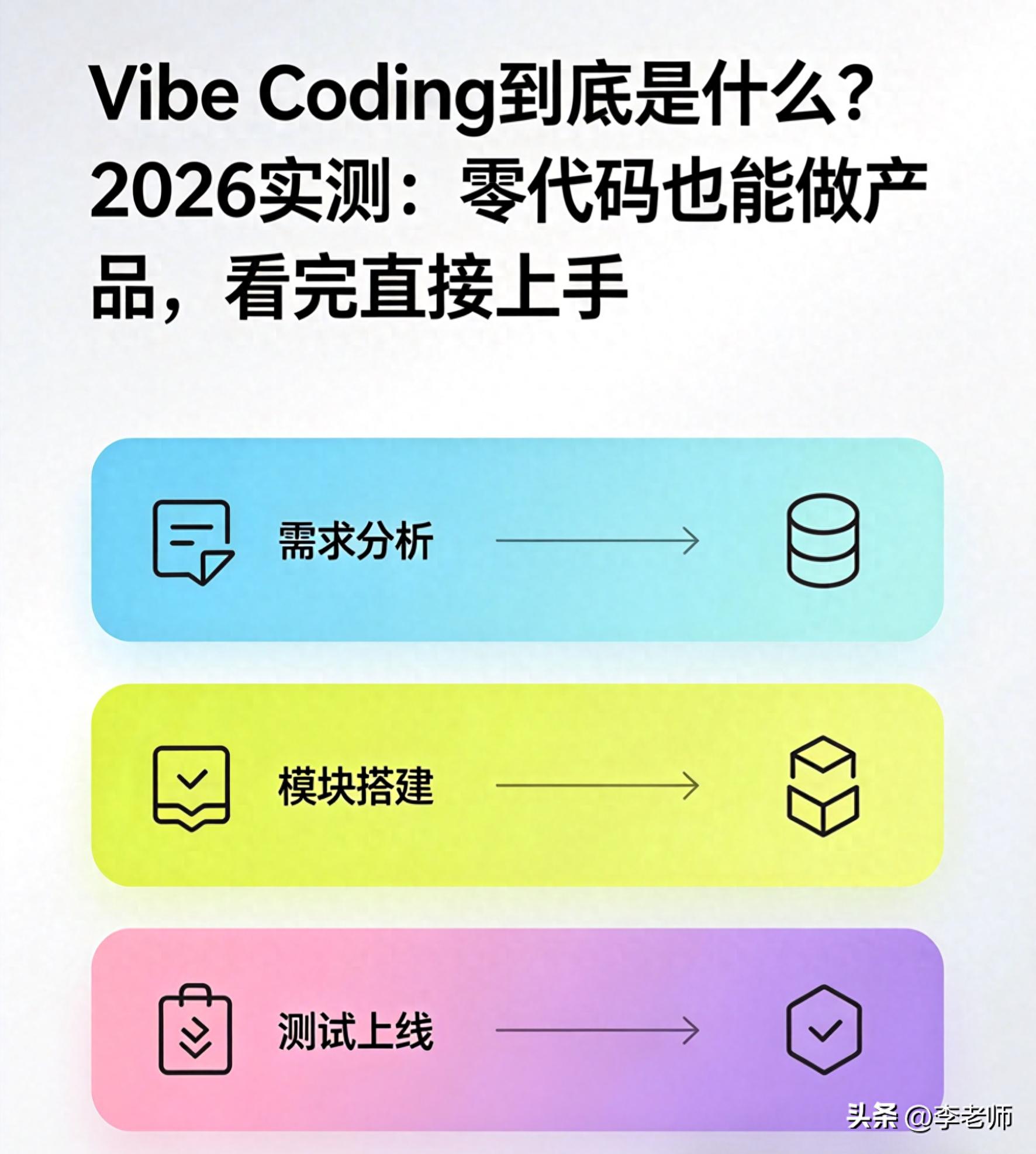
Core Principles
The core of Vibe Coding can be summarized in three steps:
- State Your Requirements: Clearly describe what you want to create in plain language (e.g., “Create a to-do list that can add, delete, mark as complete, and refresh without losing data”).
- AI Does It All: The AI generates the complete code for the frontend, backend, and database, automatically debugging and optimizing the format.
- Tweak and Launch: You review the output, suggest modifications, and once satisfied, deploy it with a single click.
Data shows that by 2026, AI can handle 85%-95% of basic development tasks, including forms, mini-programs, small websites, and simple apps. AI doesn’t replace humans; it handles the grunt work while you manage direction, logic, and results.
2026 Test: Creating a Product in 30 Minutes
I tested the process step by step:
Tool Selection
For beginners, here are three recommended tools (all free):
- Cursor: User-friendly, like an upgraded notepad. Use Ctrl+K to state your requirements, and the AI writes the code directly, supporting local execution.
- Bolt.new: A cloud-based tool that requires no installation. You can create a full-stack project in 10 minutes and deploy it with one click.
- Vibiyo: Designed specifically for complete beginners, it generates applications based on your input, including domain and SSL, ready to use.
Practical Steps: Creating a To-Do List in 30 Minutes
Step 1: Open the tool (choose Bolt.new, no installation needed).
Go to bolt.new, no registration or login required. You will see a clean interface with just an input box.
Step 2: Write your requirement in plain language.
Input:
“Create a mobile-friendly to-do list web application with features: add tasks, mark as complete, delete tasks, local data storage (refresh without losing data); simple interface, white background with gray text, completed tasks crossed out, blue buttons, centered layout, loads within 10 seconds, clean code without redundancy.”
You don’t need to specify the tech stack or code logic; the AI automatically selects the most suitable options (React + Tailwind + LocalStorage).
Step 3: Wait for the AI to generate the code (1-2 minutes).
After inputting, click generate, and the AI writes the frontend, styles, and storage logic, showing real-time progress without requiring you to manage any technical details.
In my test, it took 1 minute and 40 seconds to produce complete code, which ran without errors.
Step 4: Make adjustments (5 minutes).
If there are minor details you want to change, simply say:
- “Change the button to be rounded and the color to light blue.”
- “Add a button to clear all completed tasks.”
- “Increase the font size and widen the spacing.”
The AI makes these changes instantly without requiring you to edit the code directly.
Step 5: One-click deployment (30 seconds).
Click the “Deploy” button at the top, and it generates an online link (xxx.bolt.new) with SSL and CDN, accessible on both mobile and desktop, ready to share.
Overall, in 30 minutes, I created a practical tool without writing a single line of code, proving its effectiveness.
Advantages Over Traditional Programming
- Entry Barrier: Traditional programming requires learning syntax, environments, and frameworks, taking months to master. Vibe Coding only requires typing and stating your needs.
- Speed: Traditional methods take 1-3 days to develop small features; Vibe Coding can produce prototypes in minutes and deliver them in hours.
- Difficulty: Traditional programming involves remembering numerous rules and debugging; Vibe Coding allows the AI to handle debugging and optimization, letting you focus on results.
- Cost: Traditional outsourcing for small projects can cost thousands; Vibe Coding provides free tools to accomplish tasks at no cost.
Real-World Applications in 2026
Here are practical scenarios where Vibe Coding can be effectively used:
- Personal: Personal websites, to-do lists, budgeting tools, resume pages, simple calculators.
- Workplace: Employee registration forms, approval systems, data statistics pages, notification panels.
- Small Businesses: Product display pages, appointment forms, simple ordering mini-programs.
- Learning: Introduction to programming, rapid idea validation, creating course demos.
However, it cannot handle large games, banking systems, complex industrial software, or high-security applications, which still require professional developers.
Tips for Beginners
Here are some pitfalls I encountered during my testing, along with advice on how to avoid them:
-
Be Specific with Requirements: Avoid vague requests like “make a website.” Clearly state what you want, including features, style, and device compatibility. The more detailed you are, the better the AI can deliver.
- ❌ Incorrect: “Help me make a mall.”
- ✅ Correct: “Create a minimalist product display mall with 3 items, including name, price, and image, with a shopping cart feature, simple interface, and mobile compatibility.”
-
Don’t Ignore the Code: While you don’t need to write code, you should understand the results and test the functionality. Click around and test features; if there are issues, communicate them before launching.
-
Free Tools Are Sufficient: In 2026, the personal versions of Cursor, Bolt.new, and Vibiyo are all free, providing enough functionality for beginners. Paid versions are for team collaboration and advanced deployment, which most individuals won’t need.
Conclusion
Vibe Coding is a tool for the technical liberation of ordinary people. It transforms programming from being exclusive to professional developers into a capability that allows anyone to create products based on their ideas.
The core concept is: you manage creativity and requirements, while the AI handles coding and implementation, enabling rapid product development without needing to learn complex syntax or wait for outsourcing.
I personally tested this for a month, going from no coding knowledge to creating three usable tools without writing a single line of code, achieving over ten times the efficiency compared to traditional methods.
What small tool would you like to create using Vibe Coding? A personal website, a workplace system, or a practical feature for a small business? Share your requirements in the comments, and I’ll help you optimize them into prompts that the AI can use directly. Let’s try creating products with zero code together!
Comments
Discussion is powered by Giscus (GitHub Discussions). Add
repo,repoID,category, andcategoryIDunder[params.comments.giscus]inhugo.tomlusing the values from the Giscus setup tool.